Of course! Here is a comprehensive list of the best English websites for CPU testing, categorized by their primary purpose.
(图片来源网络,侵删)
Quick Summary: Top Picks
| Website | Best For | Key Features |
|---|---|---|
| UserBenchmark | Quick Comparison & Real-World Performance | Compares your CPU against thousands of others, shows real-world game & app performance. |
| Geekbench 6 | Cross-Platform & Overall Performance Score | Industry-standard single-core and multi-core scores. Great for comparing across Windows, macOS, Android, etc. |
| Cinebench R23 | Multi-Core Rendering & Professional Workload | Excellent for testing CPU performance in content creation (3D rendering, video editing). |
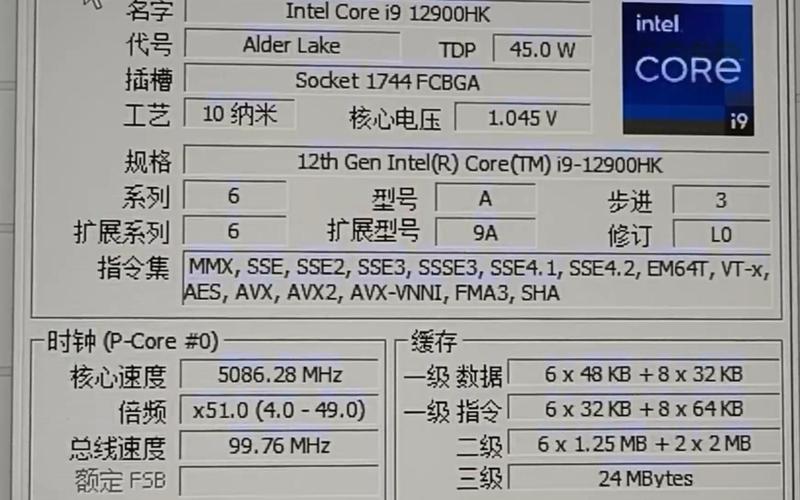
| CPU-Z | Detailed Hardware Information | Not a benchmark, but essential for verifying your CPU's clock speeds, cache, and other specs. |
Category 1: Synthetic Benchmarks (Overall Performance Score)
These tests run simulations to measure the raw processing power of your CPU. They provide a single, easy-to-understand number for comparison.
UserBenchmark
- URL:
https://www.userbenchmark.com/ - Best For: Quick, easy comparison. This is the most popular choice for a quick "how does my CPU stack up?" test.
- How it Works: You run a small test on your PC, and it compares your CPU's performance against a massive database of other users' results.
- Key Features:
- Shows your CPU's rank compared to others.
- Provides separate "Single-Core" and "Multi-Core" scores.
- Includes real-world performance estimates for popular games and applications.
- Very fast and simple test.
Geekbench 6
- URL:
https://www.geekbench.com/ - Best For: Industry-standard scores, cross-platform comparison. Widely used by tech reviewers and enthusiasts.
- How it Works: It uses workloads that simulate real-world applications like image processing, video editing, and AI to measure CPU performance.
- Key Features:
- Separate scores for Single-Core (important for gaming and responsiveness) and Multi-Core (important for rendering, streaming, etc.).
- Results are reliable and respected in the tech community.
- Free to use online or download for more accurate results.
- Available for Windows, macOS, Linux, Android, and iOS.
Cinebench R23
- URL:
https://www.maxon.net/en/support/downloads/cinebench - Best For: Professional and content creation workloads. This is the go-to benchmark for 3D artists, video editors, and 3D animators.
- How it Works: It renders a complex 3D scene. The "Single-Core" test renders the scene using one CPU core, while the "Multi-Core" test uses all available cores to render it as fast as possible.
- Key Features:
- Excellent indicator of performance in professional software like Blender, Cinema 4D, and Adobe Premiere.
- Heavier, more realistic test than Geekbench.
- Requires a free download to run.
Category 2: Real-World & Application Benchmarks
These tests measure performance in actual applications or games, which can be more relevant to your actual experience.
PCMark 10
- URL:
https://www.futuremark.com/benchmark/pcmark10 - Best For: Overall PC performance in everyday tasks. Tests common activities like web browsing, video conferencing, document writing, and photo editing.
- Key Features:
- Simulates a wide range of typical office and home productivity tasks.
- Provides a comprehensive "Overall" score plus specific scores for "Essentials," "Productivity," and "Digital Content Creation."
- Paid software, but offers a free trial.
3DMark (CPU Test)
- URL:
https://www.futuremark.com/benchmark/3dmark - Best For: Gaming-focused CPU testing. While primarily a GPU benchmark, its latest versions include dedicated, sophisticated CPU tests.
- Key Features:
- Time Spy and Port Royal features a dedicated CPU test that measures performance in a modern gaming engine.
- Useful for understanding how your CPU affects gaming frame rates (FPS), especially in newer, more demanding games.
- Paid software, but offers a free trial.
Category 3: Stress Testing & Overclocking Verification
These tools push your CPU to its absolute limit to check for stability and overheating. Use these with caution!
Prime95 (or Prime95 Small FFTs)
- URL:
https://www.mersenne.org/download/ - Best For: Maximum CPU stress testing. This is the classic, most intense CPU stress test available.
- How it Works: It runs a complex algorithm that uses 100% of your CPU's cores and generates a massive amount of heat. It's perfect for checking if your CPU is stable after overclocking or if your cooling is adequate.
- Key Features:
- Extremely effective at finding instability.
- Can run in different modes; "Small FFTs" is the purest CPU stress test.
- Warning: This will make your PC extremely hot and loud. Do not run it for long periods on a stock (non-overclocked) PC.
AIDA64
- URL:
https://www.aida64.com/downloads - Best For: Comprehensive system diagnostics and stress testing. AIDA64 is like a Swiss Army knife for system information and testing.
- Key Features:
- Includes CPU, FPU, and Cache stress tests.
- Can monitor temperatures, clock speeds, and voltages in real-time while testing.
- The Extreme Edition is paid, but there is a free trial version.
Category 4: Hardware Information (Essential First Step)
Before you benchmark, you need to know what you're testing.
(图片来源网络,侵删)
CPU-Z
- URL:
https://www.cpuid.com/softwares/cpu-z.html - Best For: Getting detailed information about your CPU and other components.
- Key Features:
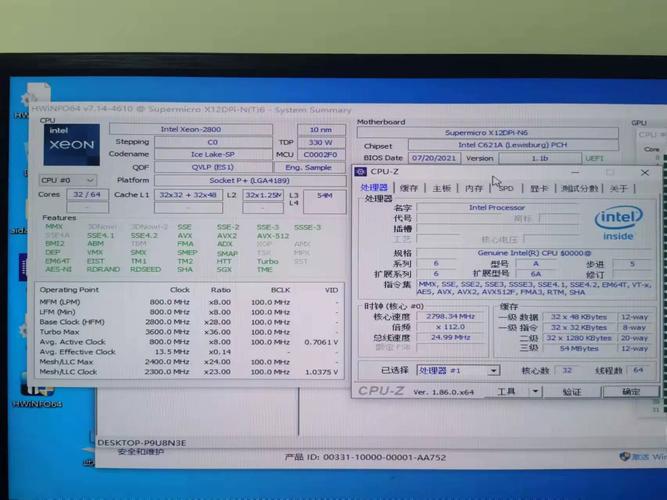
- Shows your exact CPU model, clock speed (both current and rated), number of cores/threads, and cache sizes.
- Displays information about your motherboard, memory (RAM), and graphics card.
- This is not a benchmark. It's a tool to verify your hardware's specifications before you run a test.
How to Choose the Right Test
- For a quick check: Use UserBenchmark.
- To compare with reviews online: Use Geekbench 6.
- If you do video editing, 3D modeling, or rendering: Use Cinebench R23.
- To check if your PC is stable after overclocking: Use Prime95 or AIDA64.
- To see your hardware specs: Always start with CPU-Z.
(图片来源网络,侵删)